The Mechanical Keyboard Rabbit Hole: A Practical Guide for Gamers
I spent $800 on keyboards before figuring out what I actually wanted. This guide will save you that money and time — or at least make you more efficient about falling down the rabbit hole.
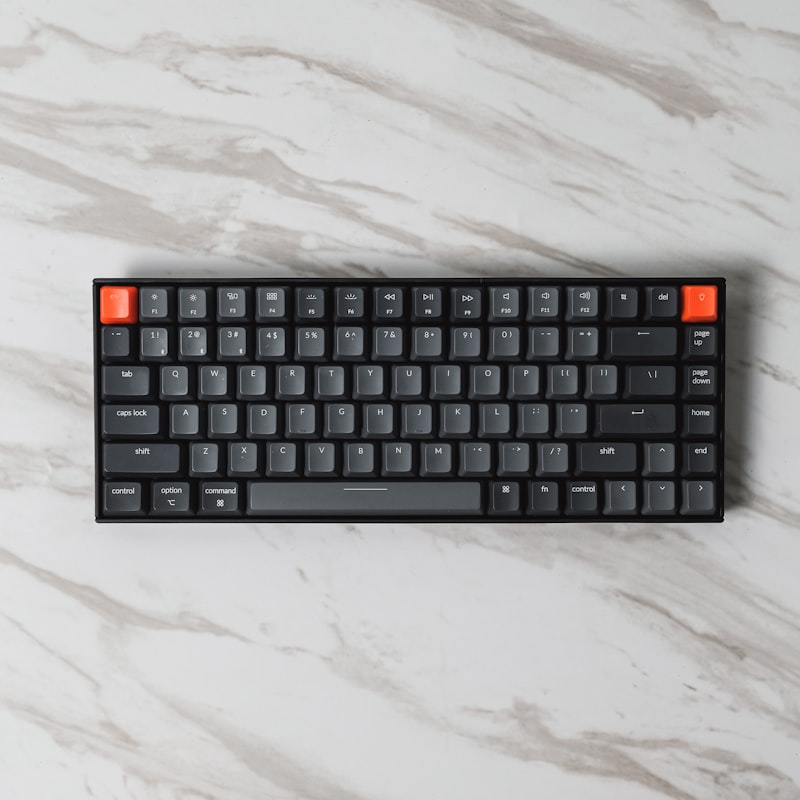
Three years ago I was gaming on a $30 membrane keyboard I'd bought at a drugstore. I knew mechanical keyboards existed. I assumed they were for people who cared way more about keyboards than I did. Then a friend let me type on his custom 65% with Gateron Yellow switches and I understood immediately why the hobby exists.
The Switch Question
Mechanical keyboard switches come in three main categories. Linear switches (like Cherry MX Red or Gateron Yellow) move smoothly from top to bottom with no tactile bump — preferred by most competitive gamers because the input is consistent and fast. Tactile switches (like Gateron Brown or Holy Pandas) have a bump midway through the keypress that gives you physical feedback — popular for typing, mixed reactions from gamers. Clicky switches (like Cherry MX Blue) have both a tactile bump and an audible click — satisfying to some, genuinely annoying to everyone else in your house.
What to Actually Buy First
Don't buy a $200 custom keyboard as your first mechanical keyboard. Buy the Keychron K2 Pro ($90) or the Akko MOD007B ($100). Both are excellent value, both come with decent switches, and both will tell you a lot about what you actually want before you spend serious money on something custom. Thirty percent of people who try mechanical keyboards realize they preferred their membrane board all along. Find out which camp you're in before you invest.